It is one of the diagrams that represents the interaction of objects and shows the transmission of messages between objects and their order.
component
object
- Expressed at the top
- List objects from left to right
- Expressed in
object name: class nameformat
Lifeline
- Dotted line running underneath the object
- means that the object exists
Active section
- Narrow and long rectangle along the life line
- A state in which an object is executing an operation
- Set appropriately considering execution time
message
- Format
[sequence number][guard]: return value:=message name([argument list])- Indicated by arrow
- Beginning: Sending object
- End part: receiving object
- Guard
Conditions that must be satisfieduntil the message is sent
type
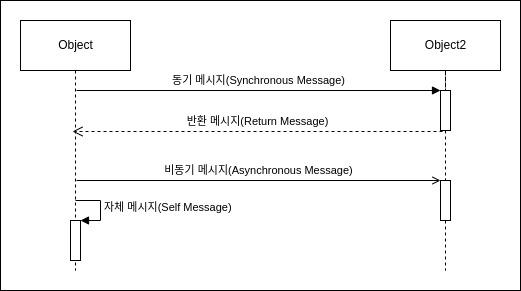
| Type | meaning |
|---|---|
| motivational message | You cannot perform any of the following actions until the message has finished executing |
| asynchronous message | You can perform the following actions without waiting for the message to finish executing |
| return message | Means the message has ended and is not required to be |
| own message | A message to yourself |
Stereotypes
- «create»
- Message that creates an object
- «destroy»
- Message that destroys an object
- Put
Xat the end of the life line.
frame
- Provides a place for labels including boundaries, types, and names in every diagram (UML 2.0)
- Displayed as a box surrounding the diagram
- Display the diagram type and name in the left corner of the box
- sd: sequential diagram
- uc: Use case diagram
- act: activity diagram
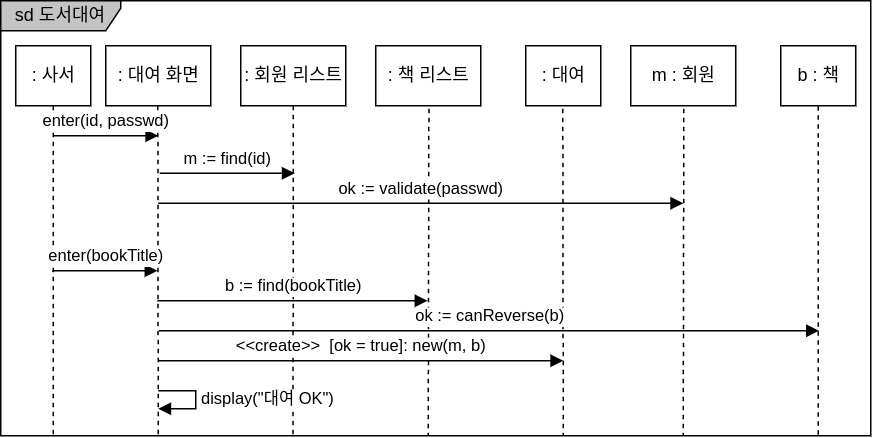
The process of lending books to members in a library is displayed in a sequential diagram frame. However, the above diagram only shows cases where rental is successful. What should I do if I want to indicate a case of failure?
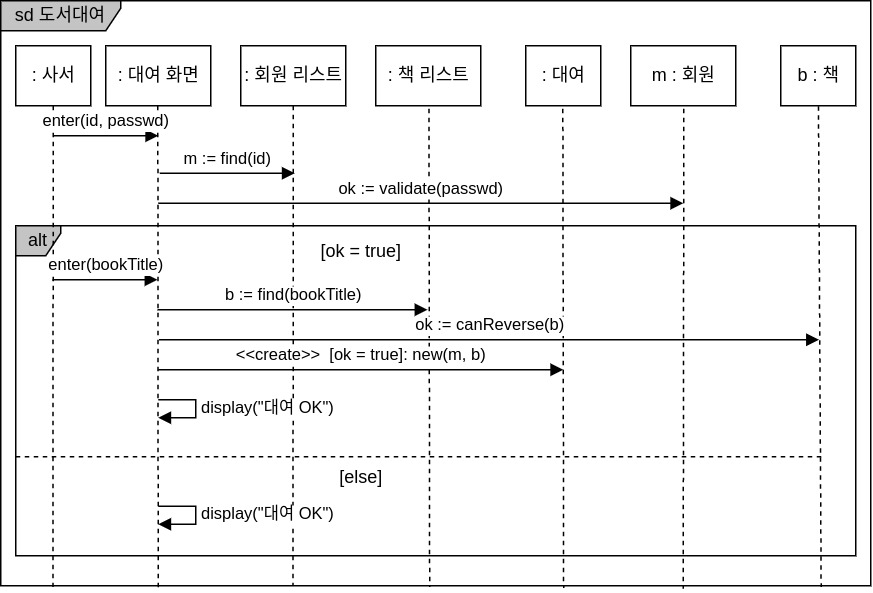
In this case, you can use alt keyword to allow interaction to be performed selectively based on conditions.
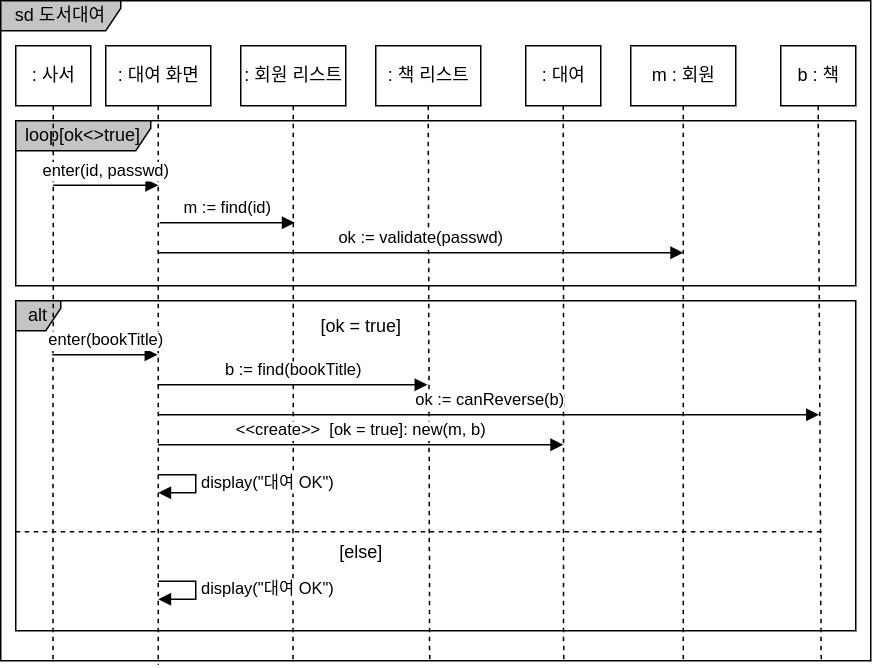
If you want to express repeating the process of verifying a member’s password several times, you can use loop keyword.
When simply referencing another sequential diagram, use
ref keyword.